Single Sign On (SSO)
Single sign-on in React Bricks
What it is: Single sign-on lets users access React Bricks through the organization's identity provider instead of separate CMS credentials.
How React Bricks handles it: React Bricks supports SAML2 identity providers such as Microsoft Entra ID, Auth0, Okta, Google Workspace, OneLogin, and Ping Identity.
Why it matters: IT teams get centralized access control, stronger account governance, and the option to require SSO-only login for developers and content editors.
Single Sign-On
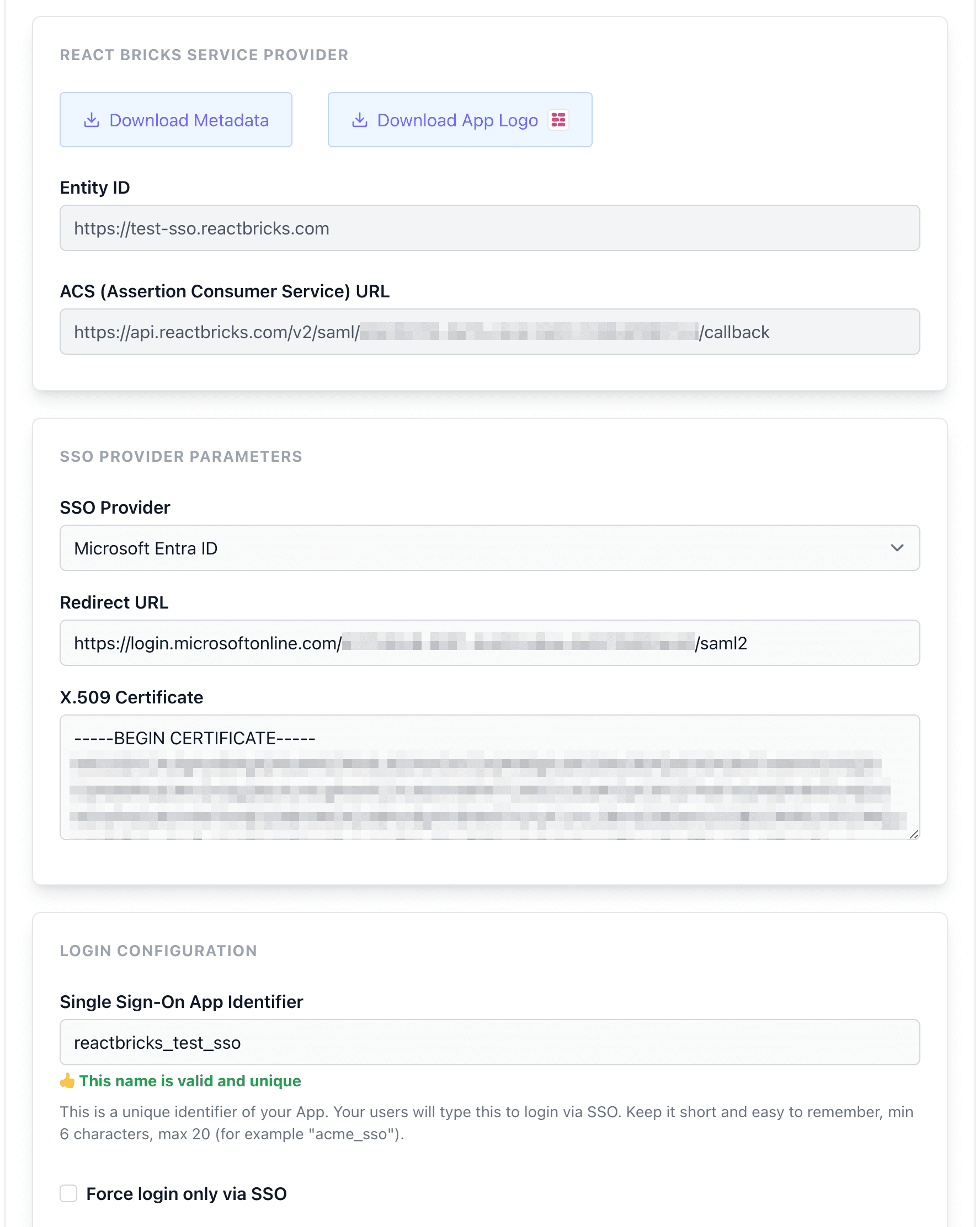
You can access React Bricks using your preferred SAML2 identity provider, like Microsoft Entra ID, Auth0, Okta, Google Suite, One Login, Ping Identity and others.
From the dashboard you can download the metadata to configure the access on your identity provider and then configure your SSO access parameters.
SSO Login
Your developers and content editors will be able to access both the Content administration interface and the Dashboard via SSO, by entering the unique "SSO App Identifier" and then proceeding with the third-party login.
If you decide to force the login only via SSO, they won't be able to access using email and password any more.
See also Security & Compliance.